What is Knowledge?
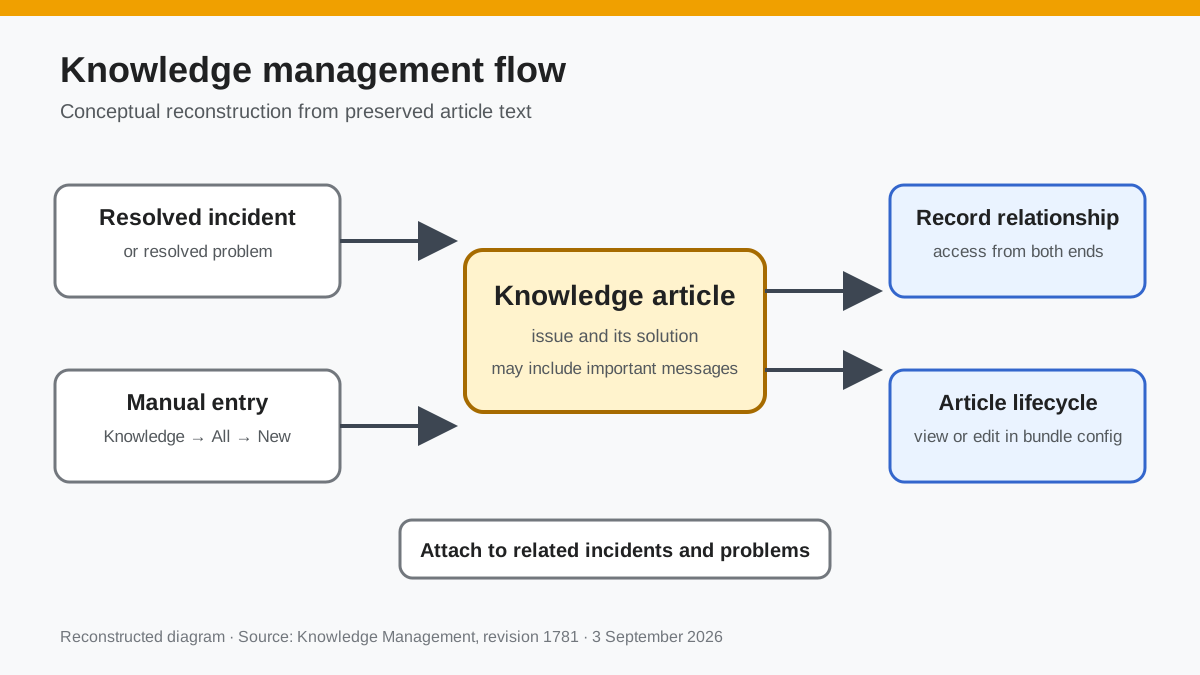
- Detailed report of an issue (incident/problem) and how it was solved.
- Attachable to other incidents/problems to have easy access to relevant information and possible solutions.
Create Knowledge [Incident/Problem Resolution]
Another reference to creating Knowledge is at: Problem Management
Depending on your configuration, an option to create a Knowledge article from an Incident/Problem will show up at the top right of the record.
(By default, the option will show when the incident/problem has become closed/resolved)
 Documentation image “Knowledge_1.png” is unavailable.
While in the process of creating the Knowledge, a dialog will ask if you would like to create the article with important messages included. This refers to any message marked as important on the records chat-box. When enabled, your important messages will be added to the resolution steps section of the article.
 Documentation image “AddingKBProblem_3.png” is unavailable.
  Documentation image “AddingKBProblem_4.png” is unavailable.
 Once the article is created, a new relationship is made between the Knowledge and the Problem/Incident for easy access on both ends.
Create Knowledge [Manual]
Navigate to Knowledge->All->New entry
 Documentation image “Knowledge_2.png” is unavailable.
Configure your article accordingly. To create a relationship to another record, such as an Incident/Problem, click Relationship Editor at the bottom right of your Knowledge record.
Lifecycle
To view/edit the lifecycle of a Knowledge article, navigate to Bundle Configuration -> Bucket Management -> All Lifecycles -> Select Knowledge Bucket
 Documentation image “Knowledge_3.png” is unavailable.
 Reconstructed diagram
Reconstructed diagram: a conceptual visualization of the process described on this page.